The timesheet fills itself in.
Your crew tap once at the start of the day and once at the end. WorkPro puts those hours on the right job, because it knows where they were — so nobody writes anything down, and nobody reconstructs the week from memory on Friday afternoon.
A contractor app actually made by one.
Most of what you can buy was built by a software company that interviewed a few contractors. This one is built by somebody who runs a crew, which is why the awkward parts of a day are the parts it handles best — the forgotten clock-out, the phone that died, the twenty minutes at the merchant nobody can account for.
It is aimed at small and medium outfits: the ones the big systems price out and over-serve at the same time. Every feature in it is one we wanted in the field. Nothing is in it to fill a row in a comparison table, and nothing is in it because a salesperson needed something to say.
And this is the beginning of it, not the finished article. What gets built next is whatever the field asks for twice.
One day, and everything the app did with it.
A real shape of a day, including the part that goes wrong. The colours are the ones the app uses throughout.
-
06:58
Clocked in at the yard
Loading the truck. The yard is a named place, so this counts and nobody is asked about it later.
-
07:16
Driving
Eighteen minutes. Movement, not a stop — the app knows the difference between parked and standing still.
-
07:34
On site at Northgate Apartments
Inside the fence, so the hours start landing on that job. Nobody picked it from a list.
-
11:48
Clocked out for lunch, and forgot to clock back in
The clock is off for 43 minutes. Ordinarily that is 43 minutes somebody argues about on Friday.
-
12:31
Back on the clock, at the same address
Same place, short gap, no movement in between. Fix shift offers those 43 minutes back, and shows its working rather than just adding them.
-
15:32
Clocked out
8h 34m on the day, of which 7h 12m is Northgate. Nobody wrote any of it down.
Four screens that do the work.
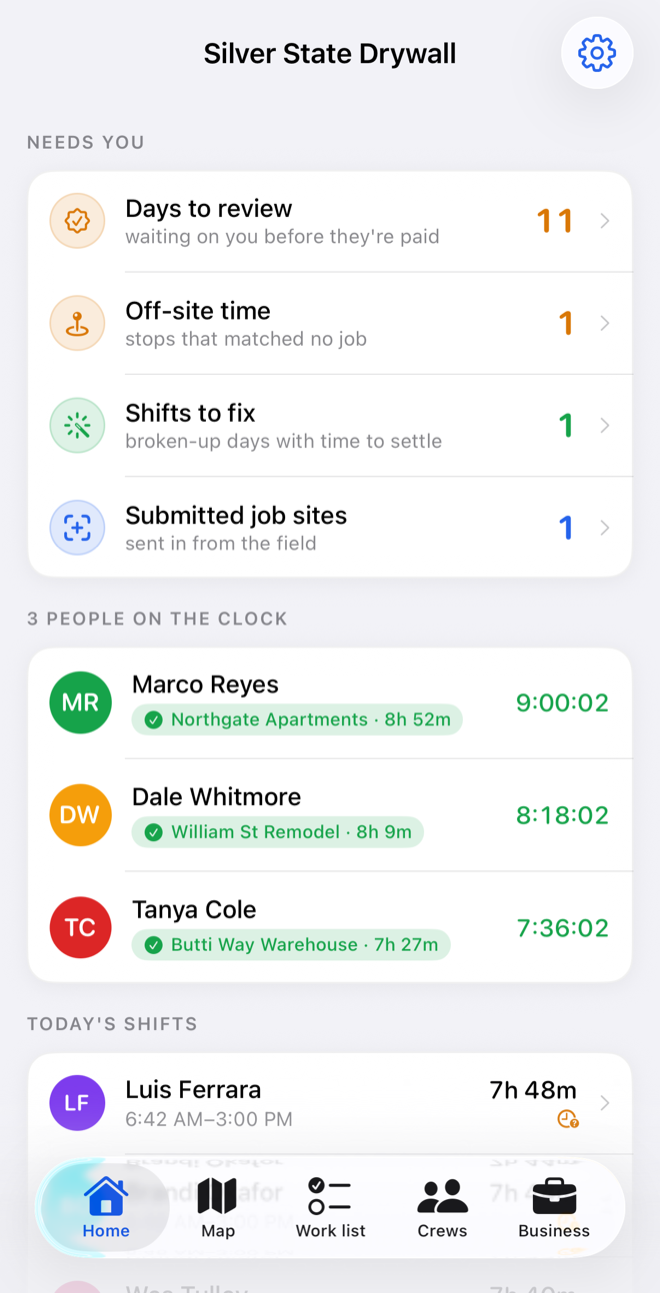
What needs you, first.
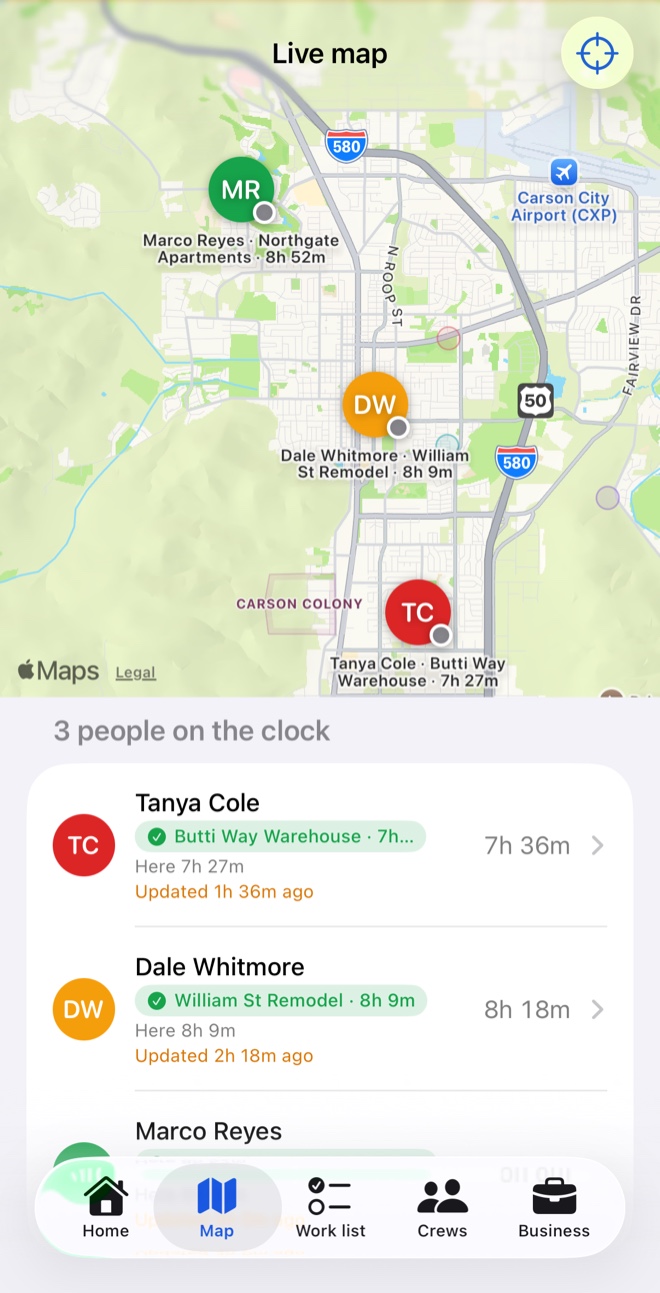
Days waiting on your approval, time that matched no job, shifts that came out in pieces — with a count against each. Then who is on the clock right now, and the job they are standing on.
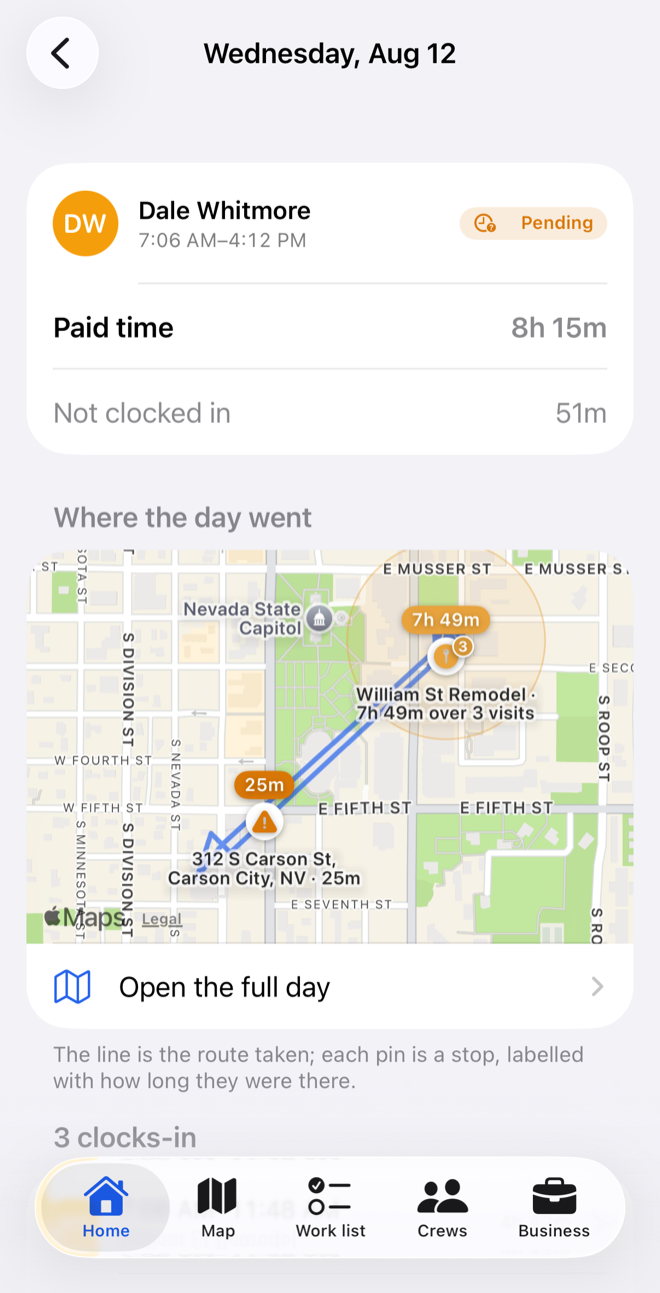
The day, drawn.
The line is the route; each pin is a stop, labelled with how long they were there. Where the app genuinely cannot tell what happened, it says so and asks, instead of filling the gap with something confident and wrong.
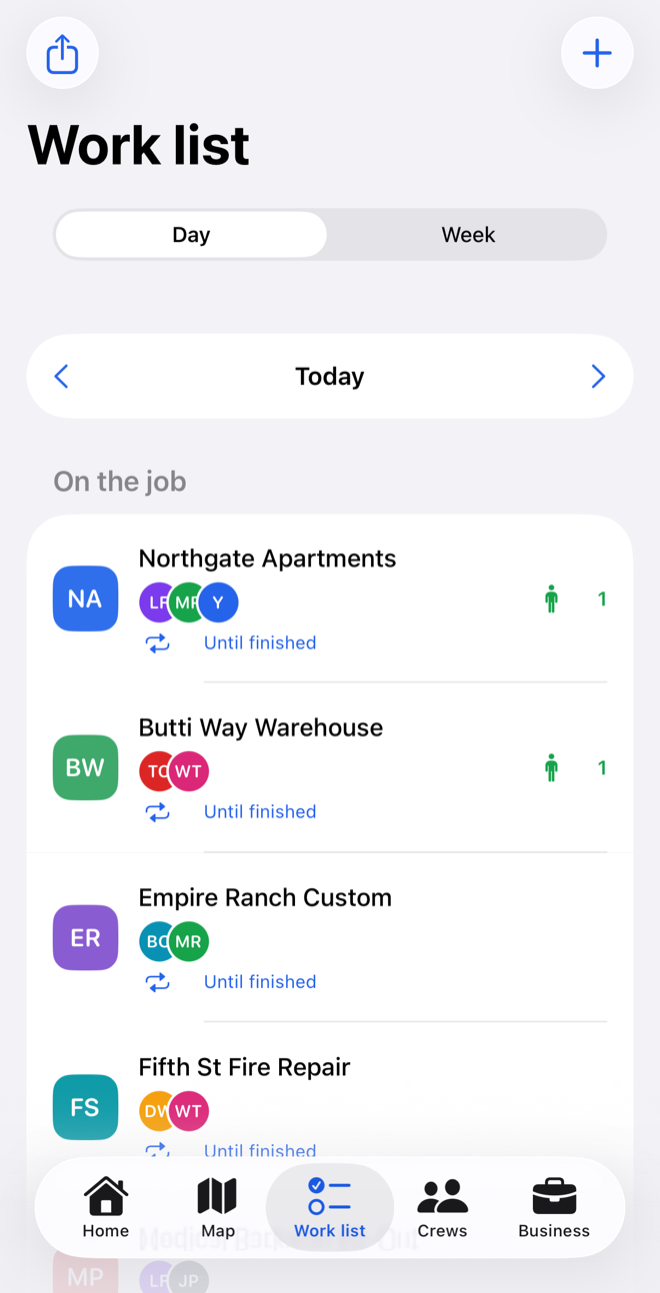
Who is on what.
Crew go on a job from a starting day until somebody marks it finished — not a shift with hours nobody entered. Move between days, and see any job with nobody on it.
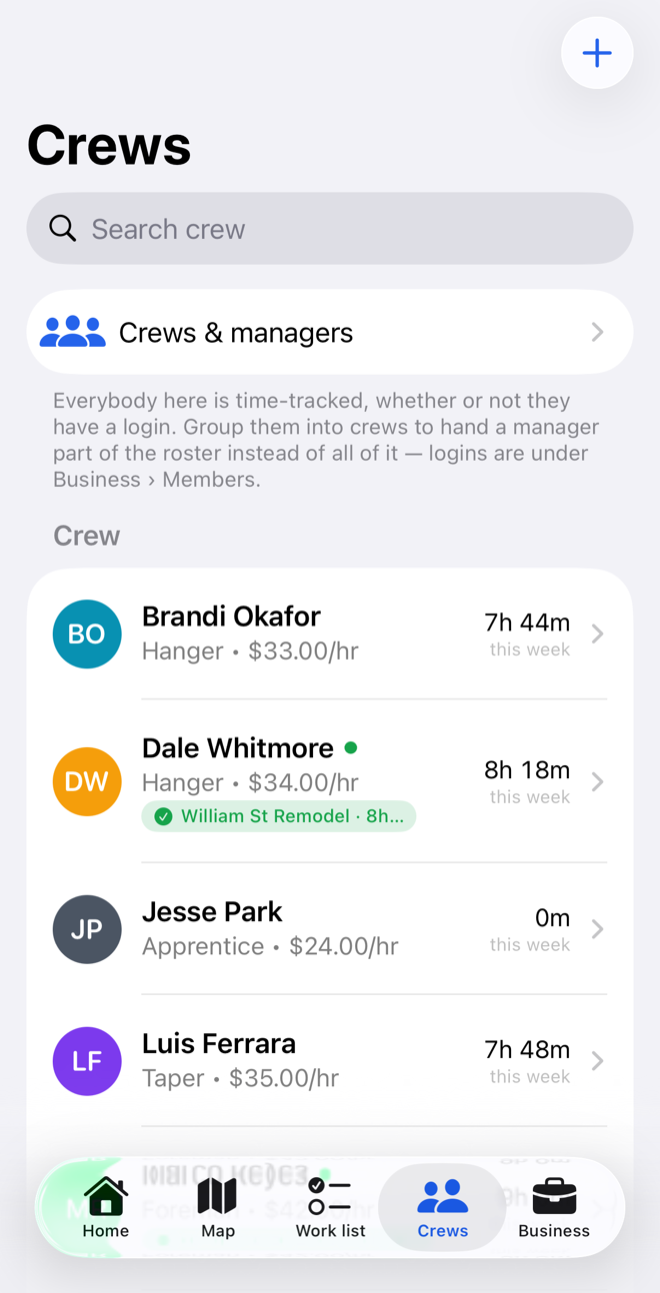
Hours and cost, per person.
Trade, rate and hours this week down the roster, with whoever is on the clock marked. Labour cost per job comes from hours that were measured rather than estimated — so you find out during the job, not after it.
The parts that matter once you're using it daily.
Two taps a day
Nothing to write down, no job to pick off a list, no timesheet to reconstruct on Friday. In gloves, one-handed, without looking.
A manager sees their own crew
Not the whole company. Enforced on the server, so it holds regardless of what any copy of the app decides to show.
The yard counts as work
Name the yard, the office, the merchant you use. Time spent there stops being queried and starts counting.
It says when it doesn't know
"Waiting for a location." "Not a job site." An hour you can stand behind in a wage dispute, or an open question — never a confident guess.
The owner's side, in a browser.
Everything an owner does sitting down — approving a week, correcting a shift, exporting payroll, watching the map on something bigger than a phone. The crew keep the app; the paperwork stops needing one.
Approve a week at once
The whole crew's days side by side, with the exceptions pulled to the top, and an export that a bookkeeper will accept.
Set up sites properly
Draw a fence on a real map rather than a phone screen, and fix a pin that was dropped in the wrong place months ago.
The map, full size
Who is on the clock and where, on a monitor in the office instead of held at arm's length in a truck.
In private preview with beta owners. Open WorkPro on the web — access is invite only for now.
Invoicing, from the hours you already have.
The clock already knows who was on which job and for how long. Getting that into an invoice is currently a spreadsheet and an evening — which is a strange thing to ask of an app that recorded every minute of it.
Hours you already approved
The same days you signed off, on the same job, at the rate you set. Nothing retyped, and nothing to reconcile afterwards.
Billed against the site
A job knows its client, its budget and what has been worked on it. That is most of an invoice before anybody opens anything.
A draft, not a demand
Materials, a markup, a line you want worded differently. It starts from what happened and stays yours to correct before it goes out.
Not built yet, and not in the beta. Tell me what your invoices need — it is being designed around real ones.
The ones crews actually ask.
Mostly about location, and reasonably so.
Does it track my crew when they're off the clock?
What if somebody refuses?
What happens when a phone dies mid-shift?
Do managers see everybody?
What does it cost?
The figure is not settled, but the one to beat is no secret: the usual answer runs around $50 a month plus about $6 a head, so a crew of eight is paying roughly $100 a month before anybody has picked up a sheet of board. WorkPro will come in under that. Whatever it lands on gets published here, and nobody on the beta is charged without being told first.
It's in beta with real crews.
If you run one and want in, say so — roughly how many people, and what sort of work. It helps to know whether you're four in vans or forty on one site.
Free while it is in beta, paid after that. The going rate for this is about $50 a month plus $6 a head — roughly $100 a month for a crew of eight. WorkPro will be less. The figure is not settled yet and it gets published here before anybody is charged.
Ask about the beta